
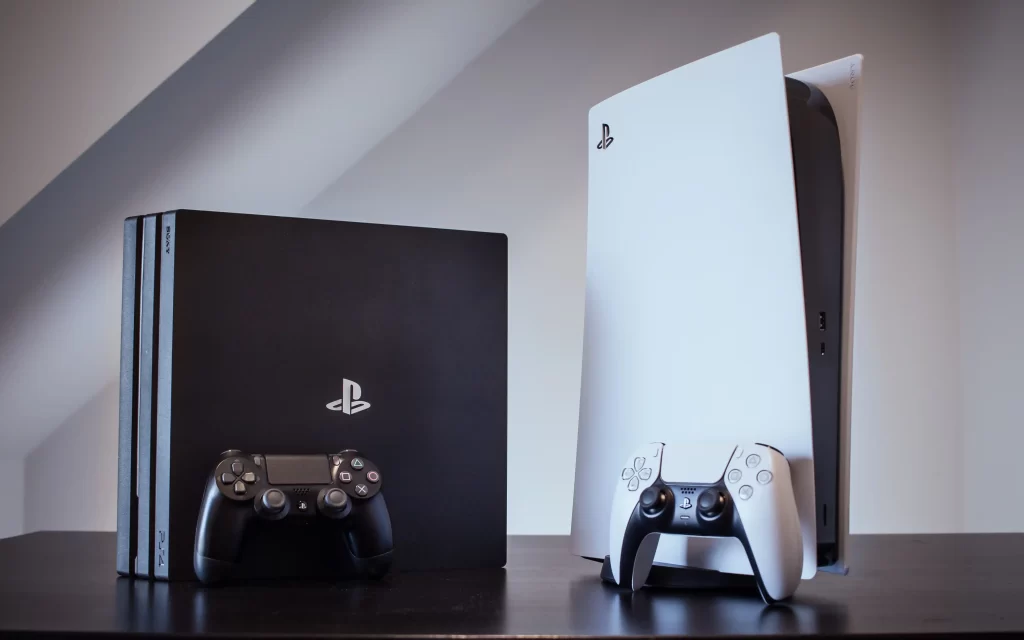
The Ultimate Guide to Gaming Console Repairs (PS4, PS5, Xbox)
Your gaming console isn’t just hardware. It’s where you unwind after a long day, compete with friends, and dive into immersive worlds. But when your PS4, PS5, or Xbox starts acting up, it can stop your fun in its tracks. Whether it’s a disc drive that won’t read games, a console that overheats, or power problems that keep it from turning on, most issues can be fixed without buying a new system.
At DeviceFixx, we specialize in professional gaming console repairs that get you back to what matters most. If you need expert help, visit https://devicefixx.com/ or call us at 027 574 3543.
Why Professional Repair Matters
Gaming consoles are complex machines with sensitive components. Trying to fix them yourself can lead to further damage or void warranties. Professional technicians know how to diagnose problems accurately and fix them using the proper tools and high-quality replacement parts.
When you choose DeviceFixx, you’re choosing experience and reliability. We work with PS4, PS5, Xbox One, Xbox Series X, and Series S systems every day — and we know how to get them working like new again.
Common Console Problems and How They’re Fixed
1. Overheating and Fan Noise
Overheating is one of the most common issues consoles face, especially after long gaming sessions. Dust buildup in vents and fans can block airflow, causing your system to run hot, shut down unexpectedly, or make loud fan noises.
How we fix it: Deep internal cleaning, replacing thermal paste, and improving ventilation so your console stays cool and quiet.
2. Disc Drive Issues
If your console won’t read discs or keeps ejecting them, the problem could be a faulty laser lens or a worn mechanical drive.
How we fix it: Cleaning or replacing the laser unit, adjusting the disc mechanism, and testing to make sure games load smoothly.
3. HDMI and Display Problems
No image on your screen even when your console seems to be running? HDMI port damage or a worn cable may be the culprit. Repeated plugging and unplugging can wear out the port.
How we fix it: Repairing or replacing the HDMI port and testing video output for a clear, stable display.
4. Power and Startup Failures
Consoles that won’t turn on at all or that randomly shut off are often experiencing power supply or internal board issues.
How we fix it: Diagnosing power components, replacing damaged boards or parts, and ensuring proper startup performance.
5. Controller Problems
Whether it’s button lag, stick drift, or connectivity issues, controller problems can ruin gameplay.
How we fix it: Cleaning internal components, repairing worn parts, or recommending replacement controllers when needed.
Repair vs Replacement: Making the Right Choice
Repairing your gaming console is often much more affordable than replacing it. Many hardware issues can be fixed quickly and affordably, restoring your system without the high cost of a new unit.
If your console has extensive damage to multiple major systems, a technician at DeviceFixx will help you decide whether repair or replacement is the best option.
Tips to Avoid Future Console Issues
While professional repair gets your system back on track, a little preventive care goes a long way:
Keep your console in a well-ventilated area to prevent overheating.
Clean vents and fans regularly to avoid dust buildup.
Use quality surge protectors to guard against electrical damage.
Handle discs and accessories with care to reduce wear and tear.
These simple habits extend the life of your console and keep your gameplay smooth.
Get Back to Gaming with DeviceFixx
Gaming shouldn’t stop because of a technical issue. Whether it’s a PS4, PS5, or Xbox, DeviceFixx has the skills to diagnose and repair your console quickly and effectively.
Visit us online at https://devicefixx.com/ to book your repair or call 027 574 3543 for friendly support.
Our Branches:
📍 58 Gladstone Road, Gisborne, NZ, 4010
📍 261 Gloucester Street, Taradale, Napier