
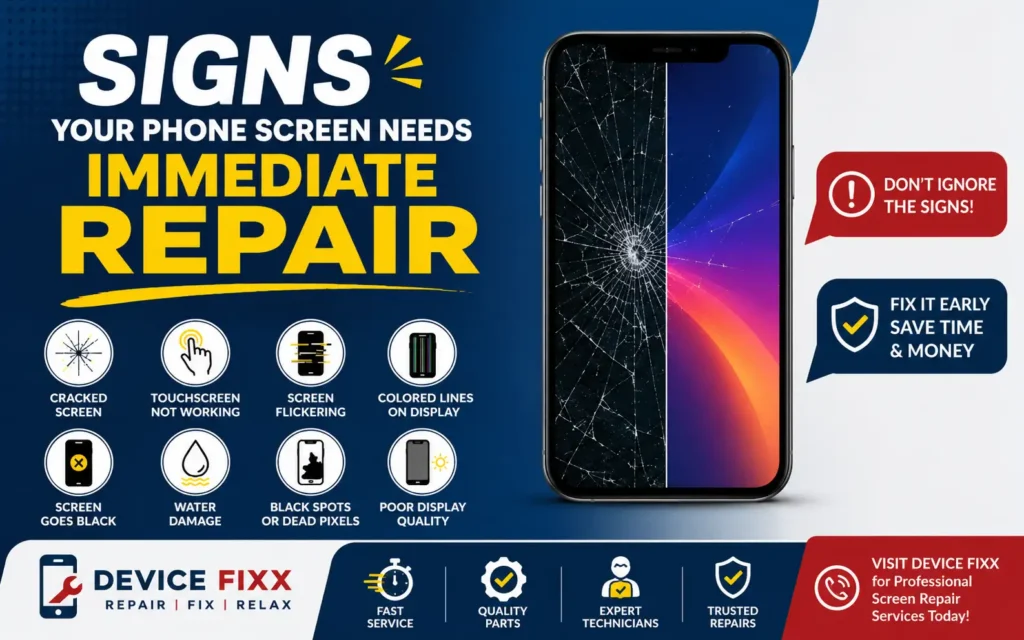
Protect Your Device Before Minor Damage Becomes a Major Problem
Your smartphone is one of the most important devices you use every day. Whether you’re working, studying, staying connected with family, or making payments, a damaged phone screen can quickly disrupt your routine. While a tiny crack or flickering display might seem harmless at first, ignoring the warning signs can lead to expensive repairs or even permanent data loss.
In this guide, we’ll explain the most common signs that your phone screen needs immediate repair and why acting quickly can save you both time and money.
Why You Shouldn’t Ignore a Damaged Phone Screen
A cracked or malfunctioning screen is more than just a cosmetic issue. Modern smartphones have advanced OLED and LCD displays with touch sensors that can become more damaged over time.
Delaying repairs can lead to:
- Complete display failure
- Touchscreen malfunction
- Water and dust entering the device
- Battery damage
- Internal motherboard issues
- Higher repair costs
If you notice any of the following symptoms, it’s time to have your phone inspected by a professional repair technician.
1. Cracked or Shattered Glass
One of the most obvious signs is a cracked screen.
Even if your phone still works, cracks weaken the display and allow moisture and dust to enter the device.
Common causes include:
- Accidental drops
- Sitting on your phone
- Pressure inside your pocket
- Impact from hard surfaces
Small cracks often spread quickly and eventually require a complete screen replacement instead of a simple glass repair.
2. Touchscreen Isn’t Responding Properly
If your phone doesn’t respond when you tap or swipe, the touch digitizer may be damaged.
Signs include:
- Delayed touch response
- Random touches (Ghost Touch)
- Certain areas of the screen not working
- Difficulty typing
- Apps opening by themselves
This problem usually gets worse over time and should be repaired as soon as possible.
3. Screen Flickering
A flickering display is a warning sign that the display panel may be failing.
You may notice:
- Brightness changing automatically
- Flashing lines
- Screen blinking
- Display turning black for a few seconds
Ignoring flickering often results in complete screen failure.
4. Black Spots or Dead Pixels
Black spots usually indicate internal LCD or OLED damage.
These spots often:
- Grow larger over time
- Spread across the display
- Reduce screen visibility
Dead pixels cannot repair themselves and generally require a screen replacement.
5. Colored Lines on the Display
Vertical green, pink, purple, or white lines are common symptoms of display damage.
These lines may appear because of:
- Screen impact
- Internal display cable damage
- OLED failure
- Water damage
Many Samsung, iPhone, and Google Pixel users experience this issue after accidental drops.
6. Screen Has Turned Completely Black
If your phone rings or vibrates but the display remains black, your screen may have failed completely.
Possible reasons include:
- Broken OLED panel
- LCD failure
- Loose display connector
- Internal motherboard damage
Professional diagnosis is recommended immediately.
7. Screen Bleeding or Ink-Like Spots
Display bleeding looks like dark purple or black ink spreading beneath the glass.
Unlike surface cracks, this damage occurs inside the display.
The damaged area usually expands over time, eventually making the phone unusable.
8. Display Separating from the Phone
If you notice the screen lifting away from the frame, stop using the phone immediately.
Possible causes include:
- Swollen battery
- Broken adhesive
- Previous poor-quality repair
A swollen battery can become dangerous if ignored.
9. Water Entered Through a Cracked Screen
A cracked screen reduces your phone’s water resistance.
Even a few drops of water can damage:
- Display connectors
- Charging port
- Speakers
- Camera
- Motherboard
If moisture enters the phone, seek professional repair as soon as possible.
10. Poor Display Quality
If your display suddenly appears:
- Dim
- Yellow
- Green
- Blurry
- Discolored
the screen may be failing internally.
Professional testing can determine whether the display or motherboard is responsible.
Can You Keep Using a Cracked Phone?
Many people continue using cracked phones for months.
However, this increases the risk of:
- Complete screen failure
- Finger injuries from broken glass
- Water damage
- More expensive repairs
- Reduced resale value
Repairing your phone early is usually much more affordable than replacing additional damaged components later.
Should You Repair or Replace the Screen?
In most cases, screen repair is significantly cheaper than purchasing a new smartphone.
Professional screen replacement restores:
- Original display quality
- Touch sensitivity
- Brightness
- Color accuracy
- Smooth performance
Always choose experienced technicians who use high-quality replacement parts.
Tips to Prevent Screen Damage
After repairing your screen, you can reduce future damage by following these simple tips:
- Use a high-quality tempered glass protector.
- Install a shockproof phone case.
- Avoid placing heavy objects on your phone.
- Keep your phone away from water.
- Don’t leave your phone in extreme heat.
- Avoid carrying your phone with keys or coins.
Why Choose DeviceFixx?
At DeviceFixx, we provide fast, reliable, and professional repair services for a wide range of smartphones and devices.
Our Repair Services Include
- iPhone Screen Repair
- Samsung Screen Repair
- Google Pixel Screen Repair
- Phone Battery Replacement
- Charging Port Repair
- Water Damage Repair
- Camera Repair
- Laptop Repair
- Tablet Repair
- Gaming Console Repair
Why Customers Choose DeviceFixx
- Experienced technicians
- High-quality replacement parts
- Fast turnaround times
- Competitive pricing
- Professional diagnostics
- Friendly customer service
Whether your phone has a cracked screen, display flickering, touch issues, or complete screen failure, our team is ready to help restore your device.
Final Thoughts
Your smartphone is an essential part of your daily life, and even minor screen damage can quickly develop into a much bigger problem. Acting early can help you avoid costly repairs, protect your personal data, and extend the life of your device.
If you’ve noticed any of the warning signs mentioned above, don’t wait for the damage to get worse. A timely inspection and repair can save you both time and money.